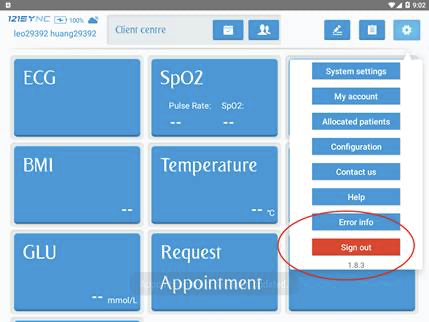
You can follow the steps below to update:
- Connect vPad to the internet
- Login vPad, Log out vPad
- Software should start downloading automatically. You can see progress on the bottom right corner.
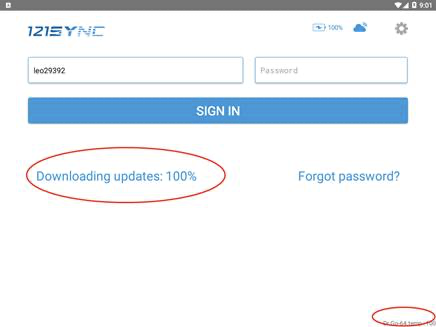
- Wait for the progress to reach 100%.
- Tap “install” to install the latest software
- Login vPad again, check that software version is above 1.8.3